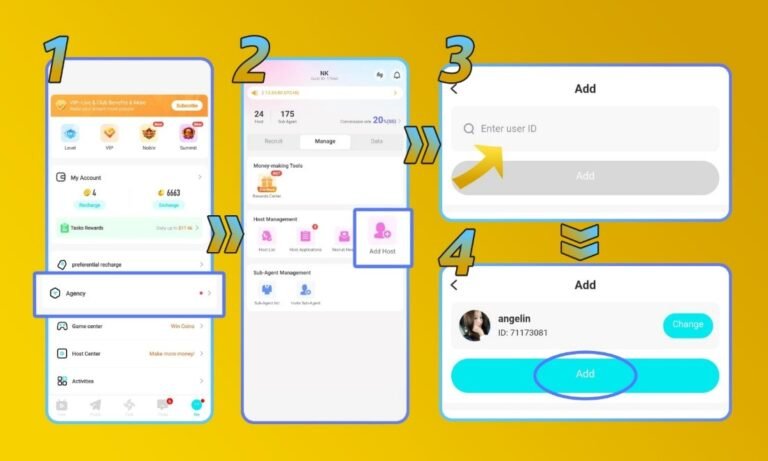
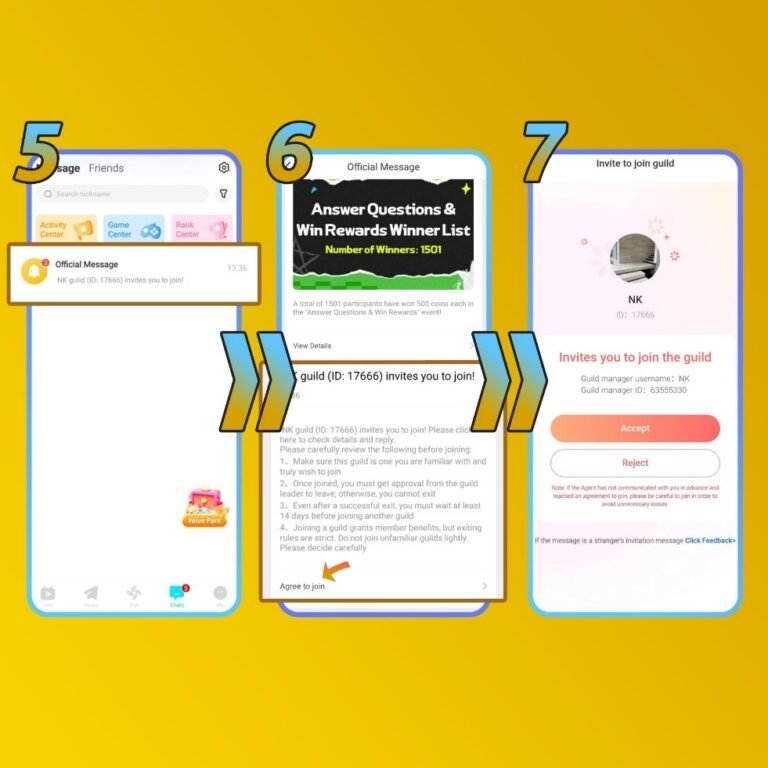
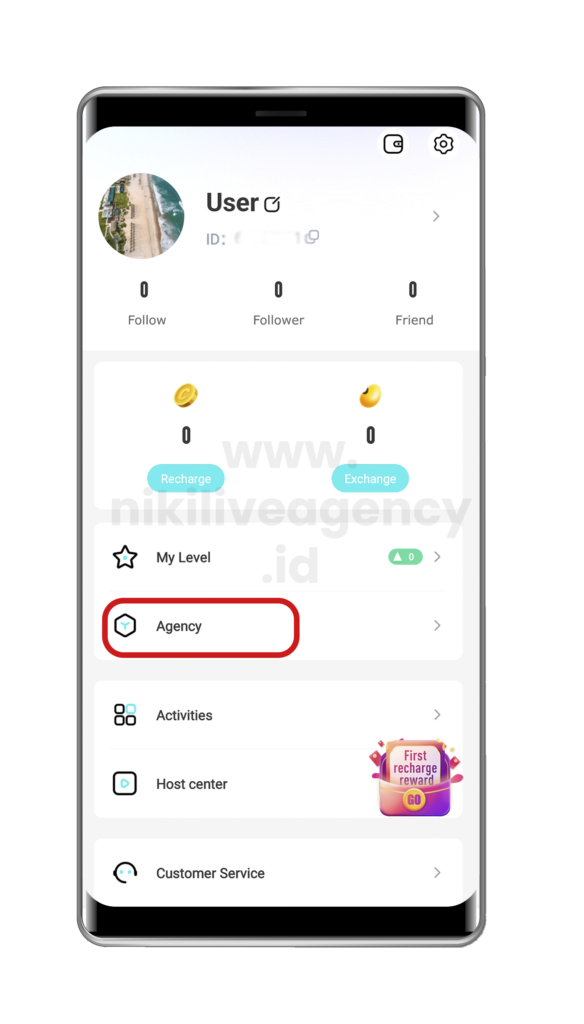
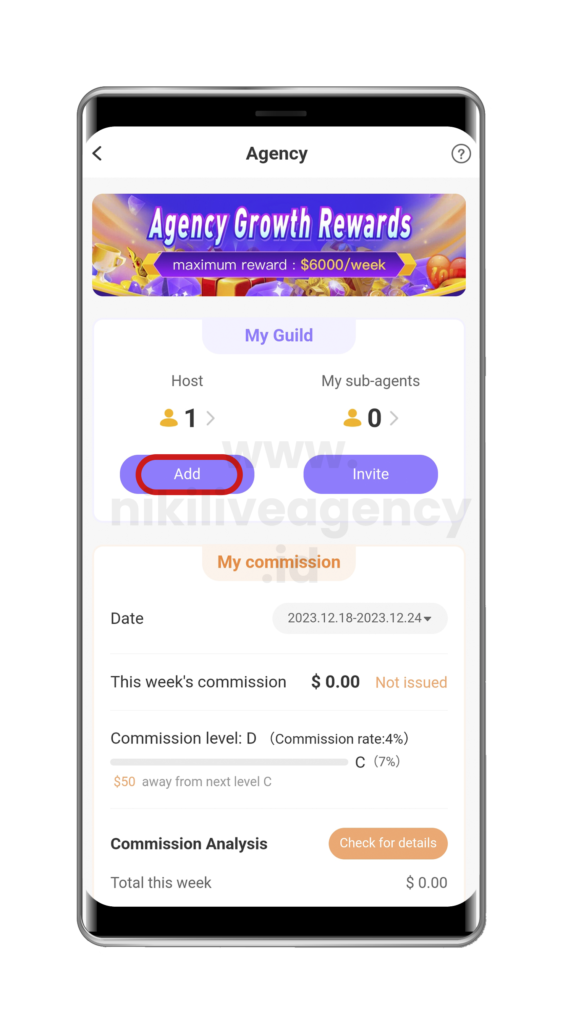
5. The host will receive an invitation message on their own app 6. The host need to accept the invitation and complete the verification process (face and ID verification, if they haven’t) 7. Once they agreed, the host will be officially registered with your agency and can start broadcasting.
How to Add New Sub-Agent in Niki Live
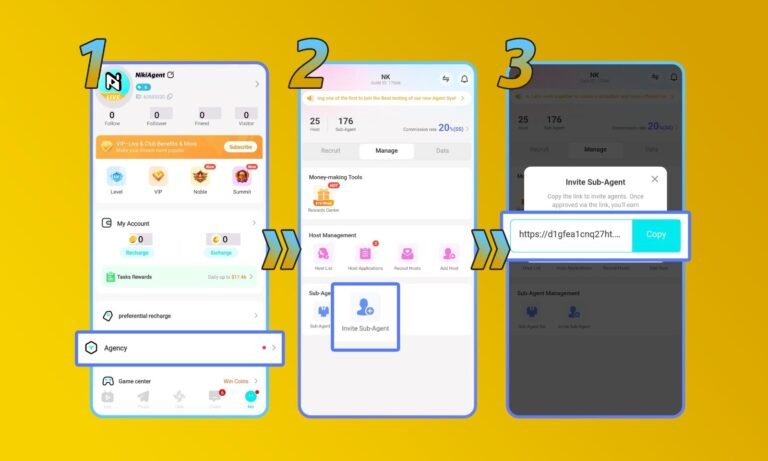
1. Go to your profile, then click the ‘Agency’ menu 2. Click the ‘Invite Sub-Agent’ button 3. Copy the sub-agent invitation link, give the link to the sub-agent who wants to join.
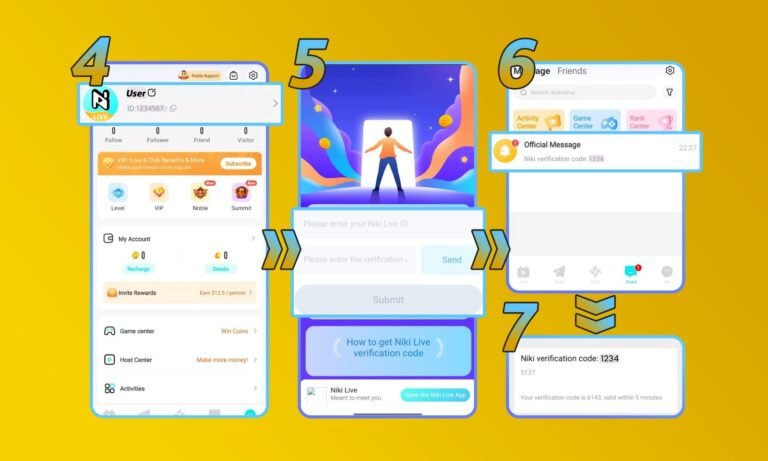
4. After that, give directions to the sub-agents you want to invite.
a. Go to profile section, “Copy ID”
b. Enter the ID and click Send
c. The code will be sent via a message on the Niki Live account
d. Copy the code and then click submit
Agency Portal Guidance
Host recruitment
Agency can add hosts via the app, check the home page, click “agency” – “add”, by inputting hosts uid , once hosts agree to join on her side , you will be able to add hosts to your team.
Sub Agency Recruitment
For now the sub agency invitation link is not ready, so if you need to bind a sub agency, just give his uid and phone number together with the sub agency name to the admin for the binding.
Niki Coin Reseller
If you want to become an offline coins seller in your area, please click the link below to contact relevant personnel for consultation and negotiation: