A Niki Live sub-agent is a partner who operates under a primary agency account. They work as an independent agency while following the same platform rules, responsibilities, and privileges.
Official Agency Tutorial
Niki Live Agent Tutorial & Agency Management Guide
Learn how to manage your Niki Live agency, invite new hosts, and expand your network with this complete guide. Follow the official steps to grow your team as a Niki Live agent.
How to Add a New Host as a Niki Live Agent
Building a successful agency starts with recruiting and supporting talented hosts.
1
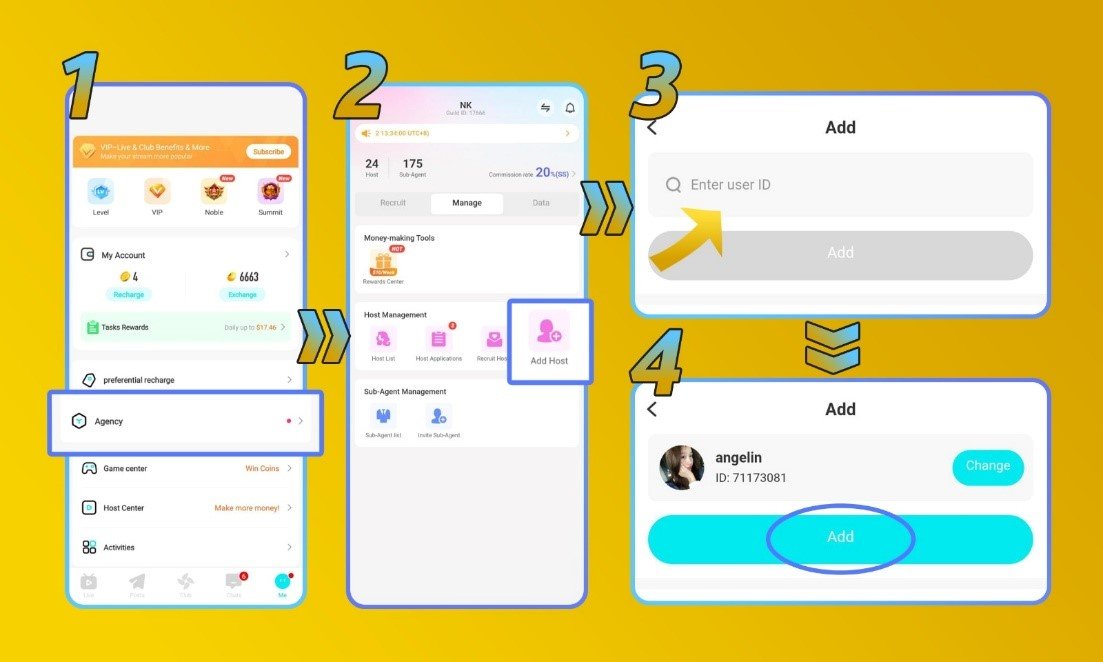
Step 1: Open the Agency Menu
Go to your Niki Live profile and select the “Agency” menu.
2
Step 2: Select Add Host
Click the “Add Host” button to begin the host invitation process.
3
Step 3: Enter Host ID
Input the Niki ID of the host you want to invite.
4
Step 4: Confirm Host Information
After the correct host profile appears, review the information and click “Add”.
5
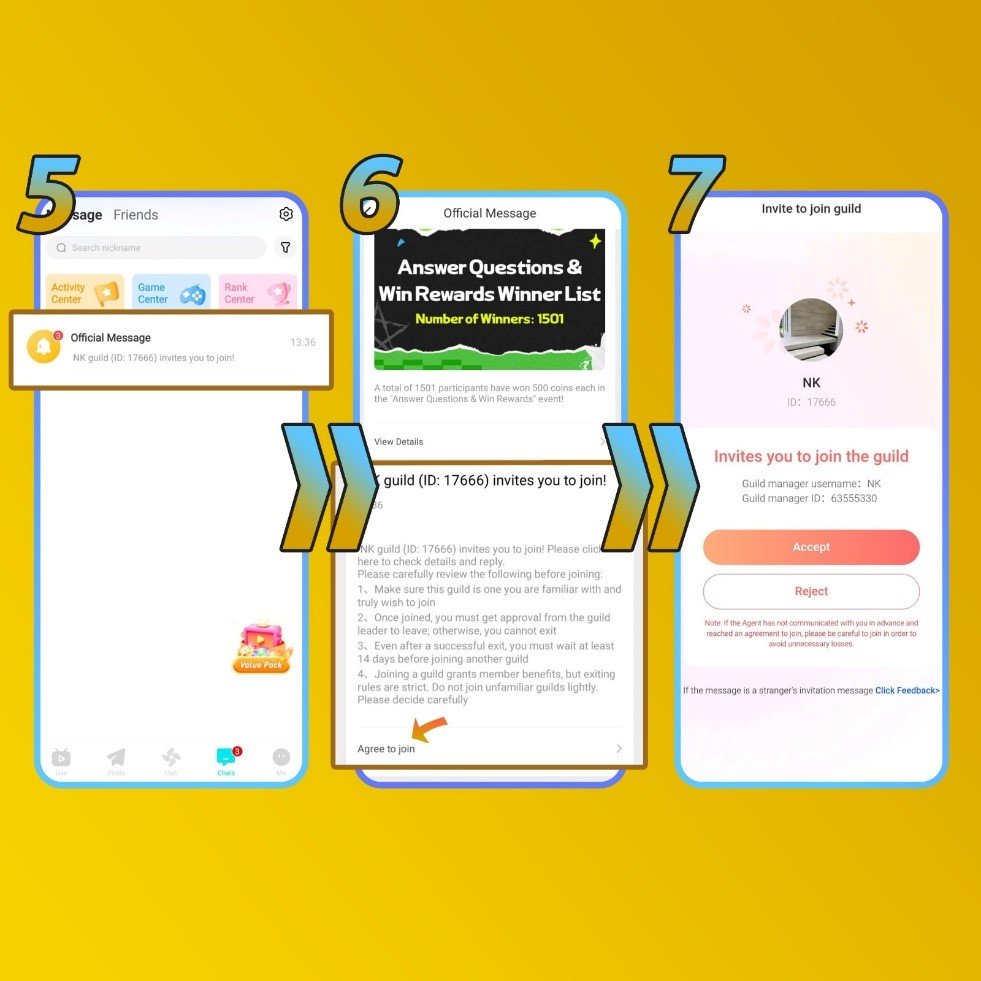
Step 5: Host Receives Invitation
The invited host will receive an invitation notification through their Niki Live application.
6
Step 6: Host Accepts Invitation
The host must accept the invitation and complete the required verification process, including face and ID verification (if required).
7
Step 7: Host Joins Your Agency
After confirmation, the host will officially become part of your Niki Live agency and can begin livestreaming under your management.
How to Add a New Sub-agent as a Niki Live Agent
Expand your agency network by inviting qualified sub-agents. Sub-agents can operate independently while contributing to your overall agency growth.
1
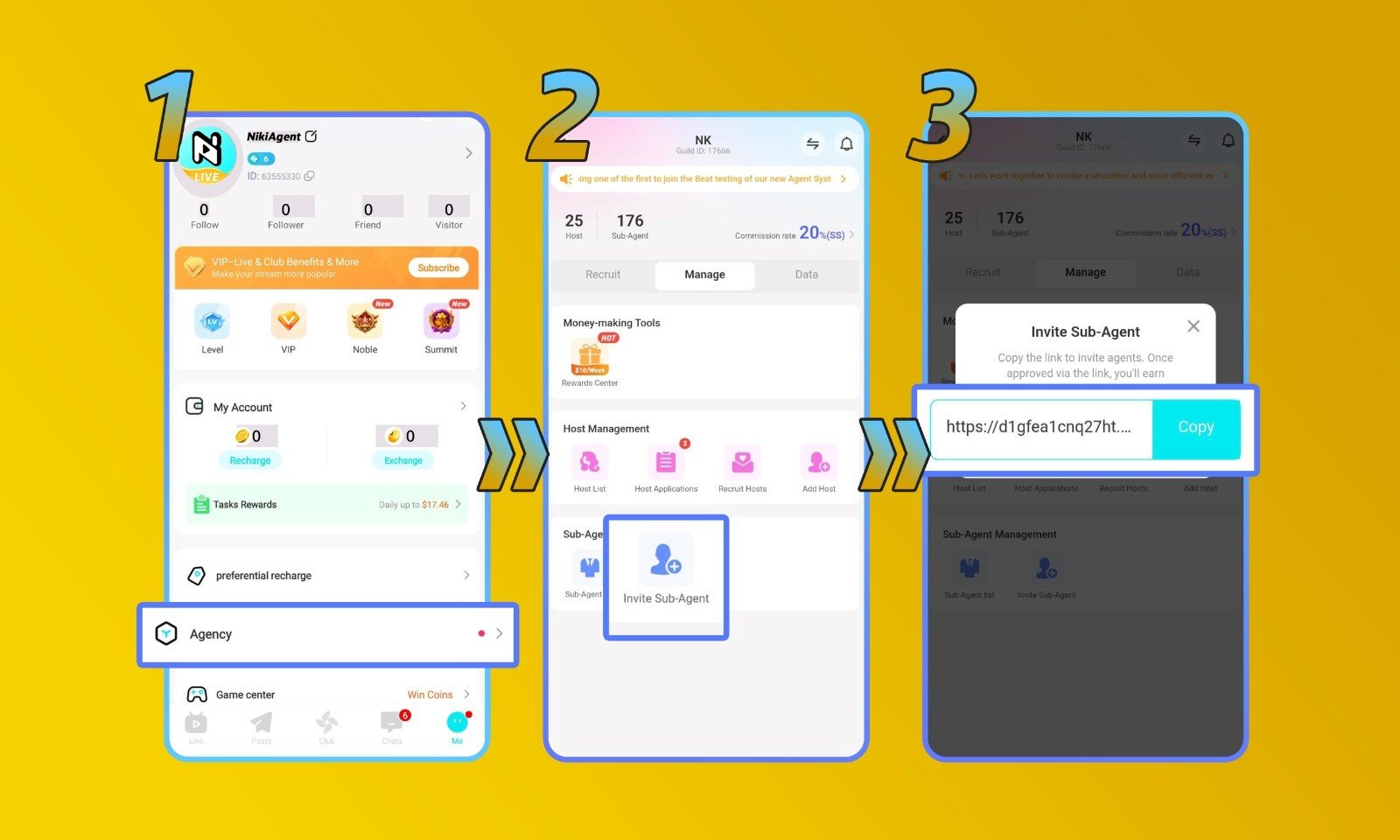
Step 1: Open Agency Menu
Go to your Niki Live profile and select the “Agency” menu.
2
Step 2: Select Invite Sub-agent
Click the “Invite Sub-Agent” option to generate an invitation.
3
Step 3: Share Invitation Link
Copy the sub-agent invitation link and send it to the person you want to invite.
4
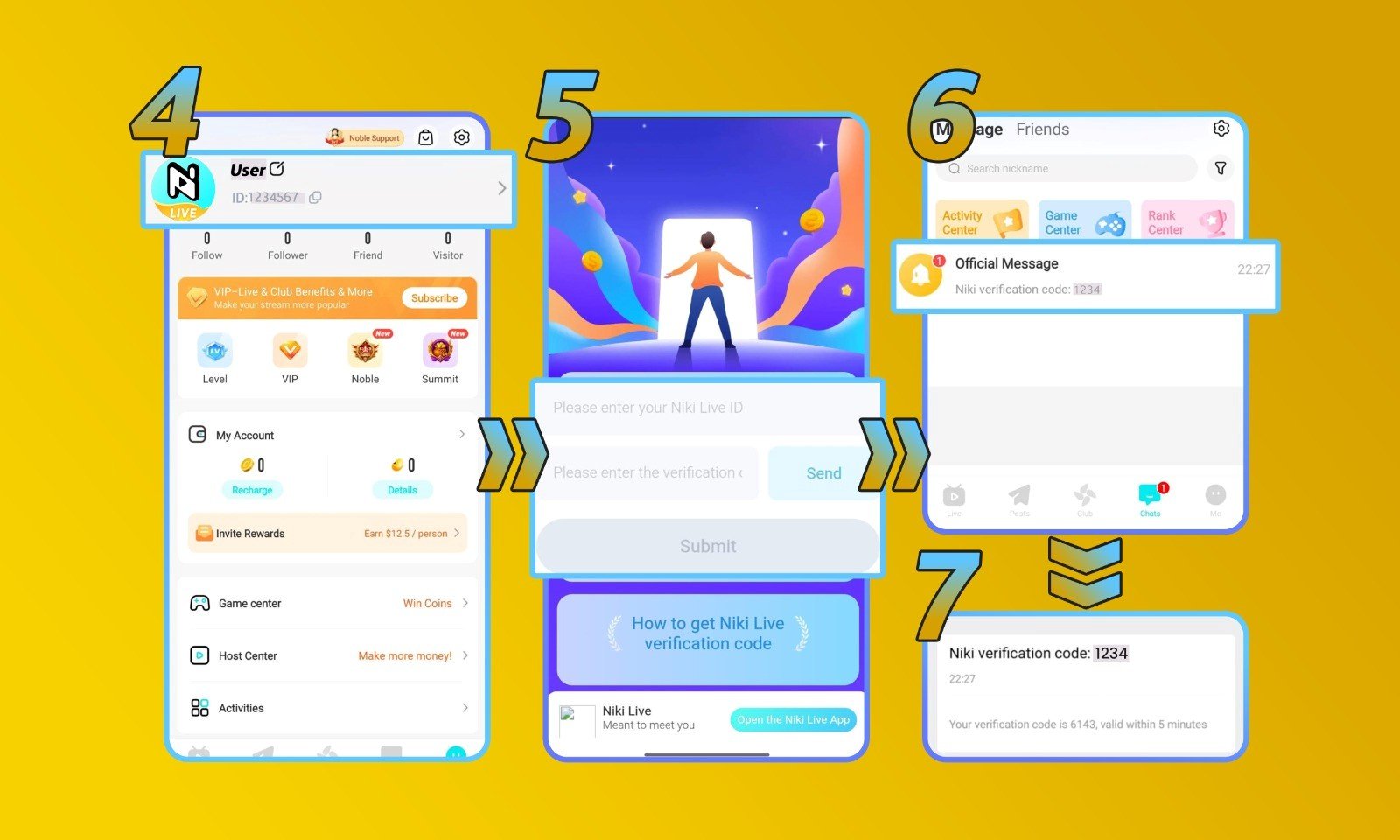
Step 4: Guide the New Sub-agent
Ask the invited sub-agent to complete the following steps:
- Open Profile Section: Access their Niki Live profile and select “Copy ID”.
- Submit Their Niki ID: Enter the ID and click “Send”.
- Receive Verification Code: The verification code will be sent through the Niki Live account message system.
- Complete Verification: Copy the verification code and click “Submit”.
Frequently Asked Questions
No. Recruiting hosts or sub-agents who are currently registered with another Niki Live agency is prohibited. They must leave their existing agency before joining a new one.
Inviting sub-agents provides additional growth opportunities for your agency. Sub-agent performance contributes to your agency development, and higher sub-agent revenue can help increase your overall commission level.
Potential hosts and sub-agents can be found through various online communities and social platforms, including: Facebook, Telegram, X, and other social media communities. Always ensure recruitment follows Niki Live agency policies.
New Niki Live agents may receive rewards from successful recruitment of eligible hosts. Reward programs and requirements may vary. Visit the Become an Agent page for complete reward information.