Registration Rules
- Hosts are not allowed to register multiple accounts.
- Pornographic or sexually explicit content is prohibited.
- Promoting third-party platforms is not permitted.
- Minors are not allowed to livestream on Niki Live.
Learn how to start and manage your livestream activities on Niki Live. This guide covers essential host rules, livestream best practices, face verification, and withdrawal steps with guidance from an official Niki Live agent.
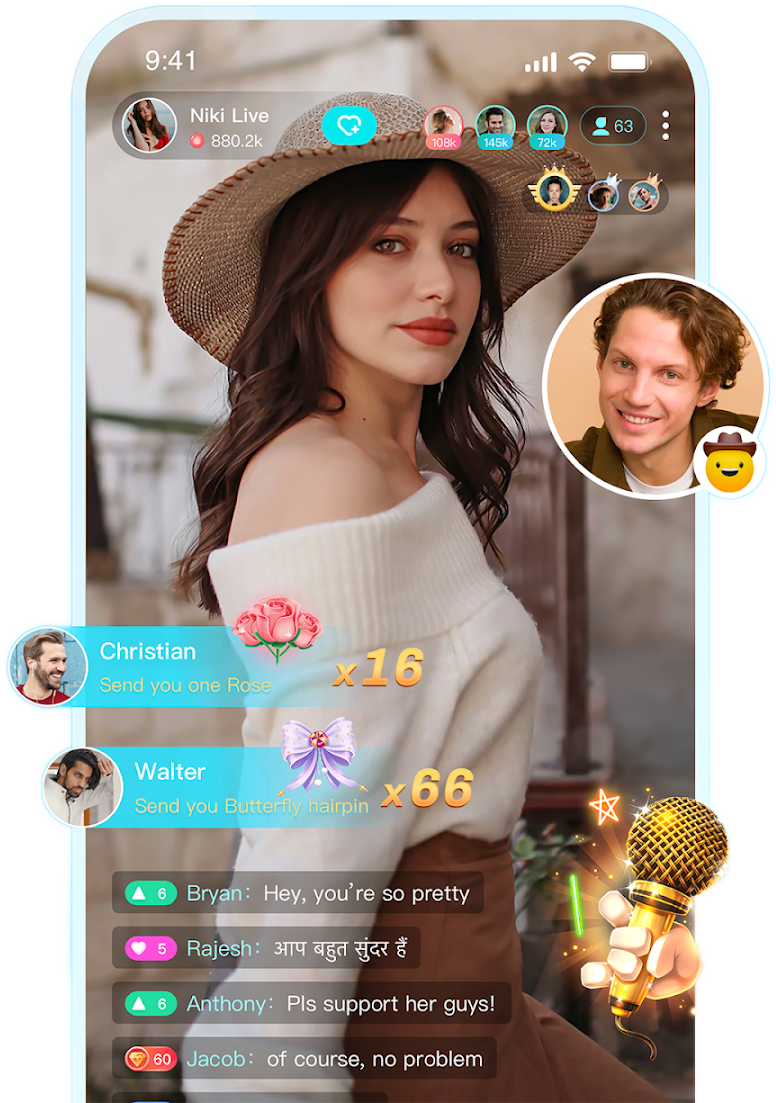
Every Niki Live host must follow the platform rules to maintain a safe, professional, and high-quality livestream environment.
A good livestream experience begins before you go live and continues even after the session ends. Follow these practical guidelines to improve presentation and audience interaction.
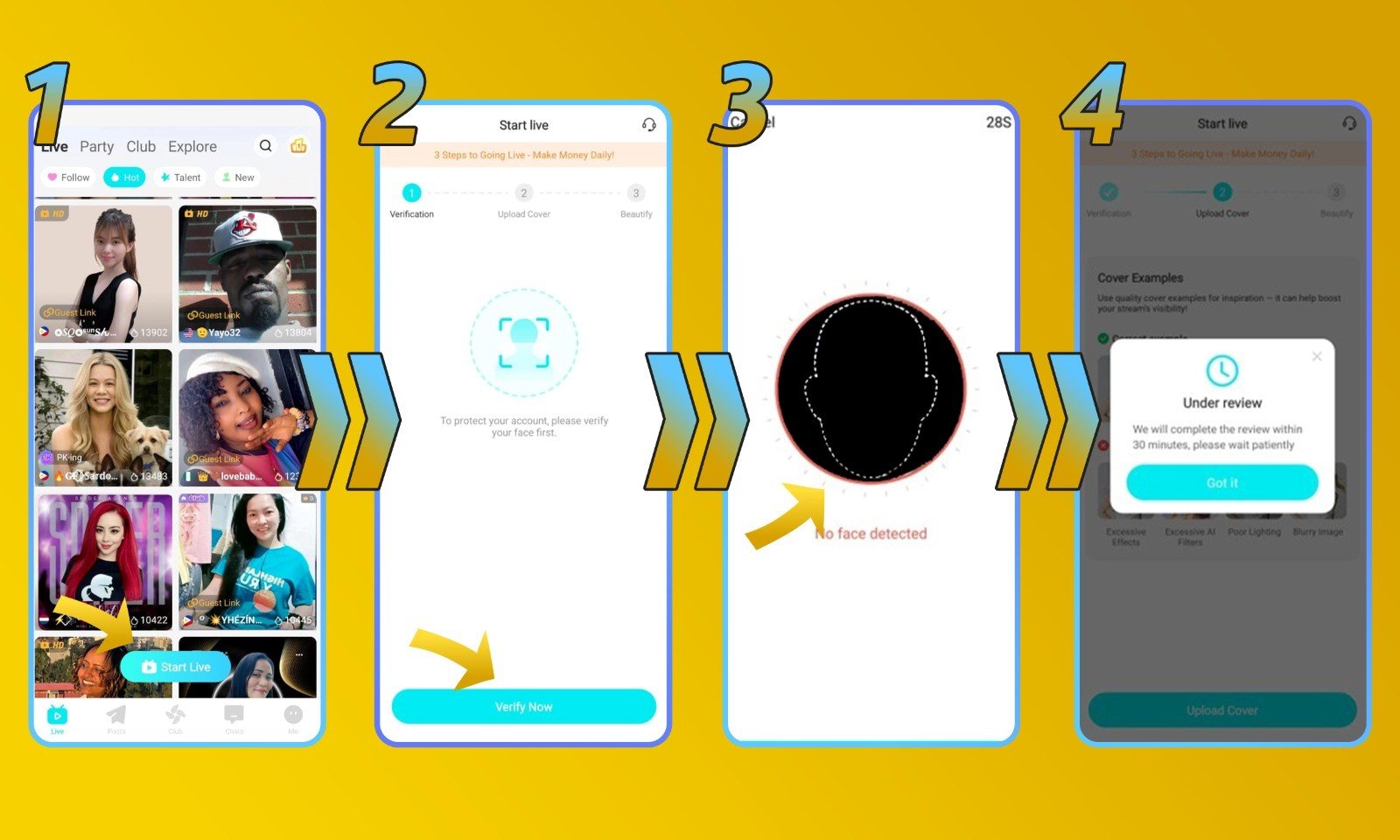
Face verification is part of the host verification process. Follow the steps below to submit your verification correctly.
Go to the Niki Live homepage and click “Start Live.”
Click “Verify Now” to begin the face verification process.
Complete the face verification by following the instructions shown on the screen.
Once submitted, your verification will be reviewed. The process may take up to 3 business days.
Once your account is verified and active, you can access your Beans balance and submit a withdrawal request through your Niki Live account.
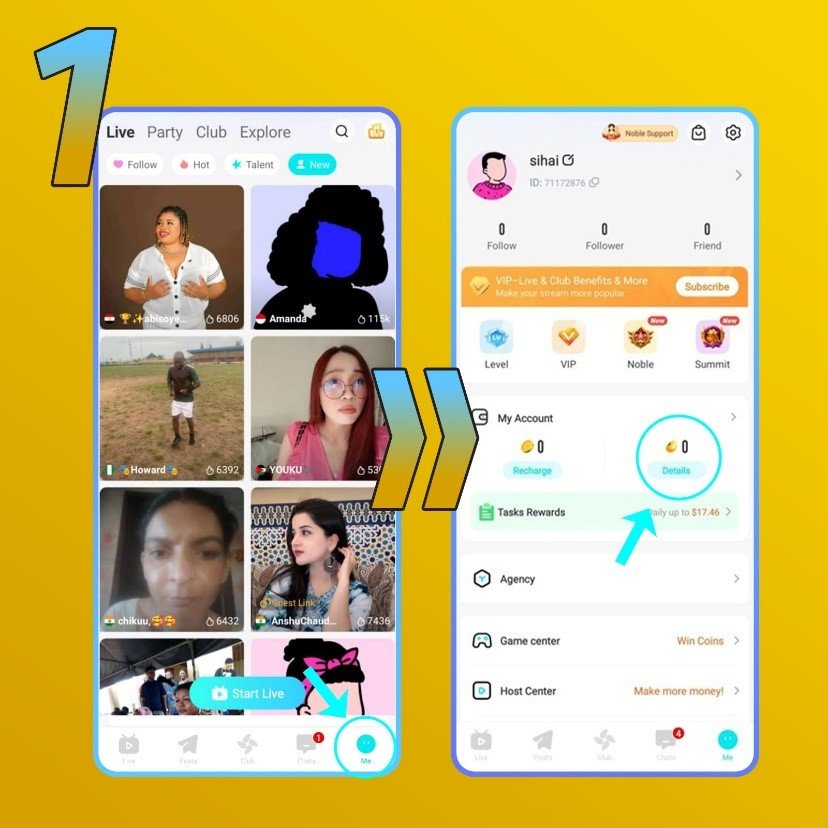
Log in to your host or agent account and open the profile section.
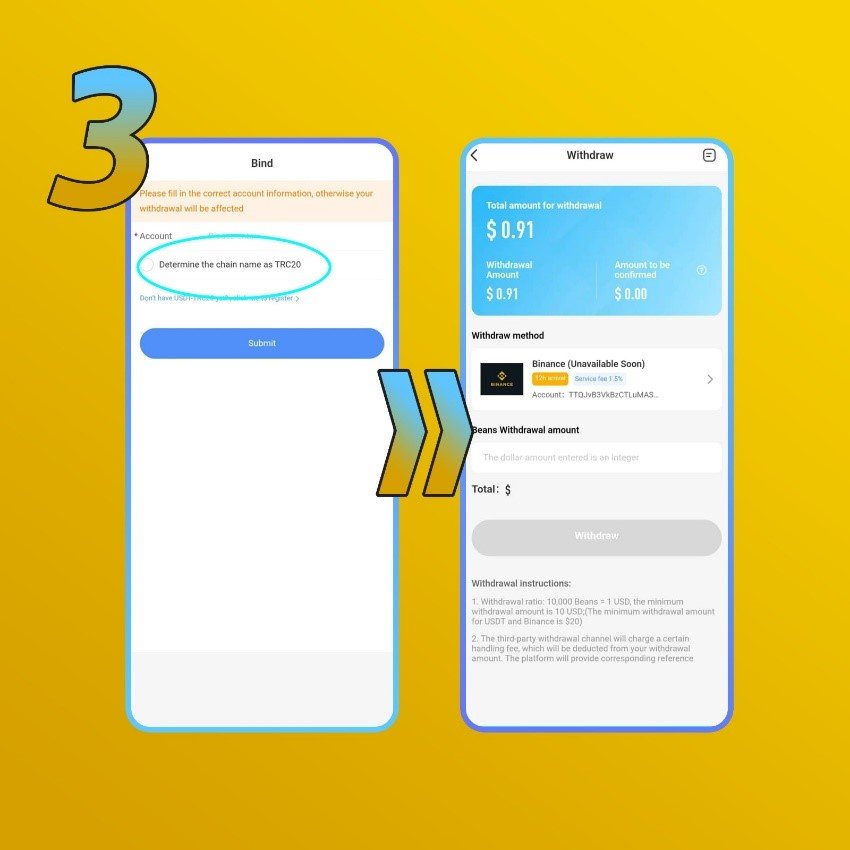
Provide the required information for your chosen withdrawal method. Make sure all payout information is correct. Incorrect details may cause the withdrawal to fail.
Hosts may only have one account each, and content must never be pornographic or sexual in nature. Promoting third-party platforms is not allowed, and minors are prohibited from livestreaming.
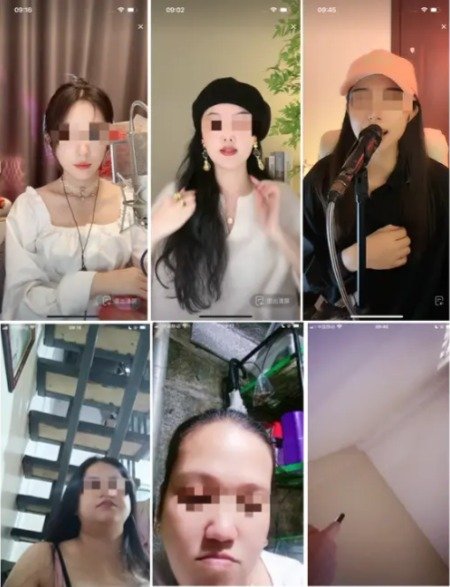
Only hosts with a qualified cover photo will appear on the live page. The photo should look presentable and attractive, set against a clean, bright background. Use a high-quality upper body shot rather than just your face or head.
Before going live, set up a clean and tidy background, show your upper body, and apply makeup, avoid low-quality setups like lying down or filming empty spaces.
During the stream, check your video quality periodically and interact with viewers by greeting, talking, thanking them, and encouraging follows or gifts.
After the stream ends, reach out to gifters to maintain the relationship and post highlight moments to the community page for more traffic.
From the Niki Live homepage, click Start Live, then Verify Now, and follow the on-screen instructions to complete the scan. Once submitted, verification is reviewed and can take up to 3 business days to complete.
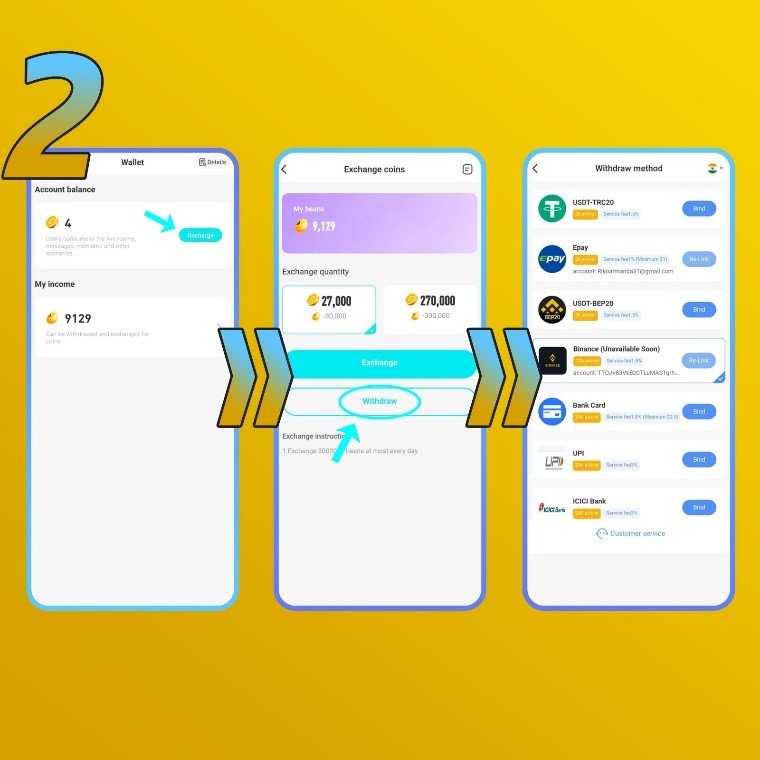
First, make sure your account is verified and active as a host, then open your profile to view your Beans balance. Go to Beans, click Recharge, then Withdraw, and choose a payout method such as bank transfer, PayPal, Epay, Binance, USDT, G-cash, or e-wallet (availability depends on your country).
Enter your payout details correctly, set the amount you want to exchange to USD, and click Submit, the minimum payout is 2,000,000 beans (about 200 USD), though this amount may change, and incorrect payout information will cause the withdrawal to fail.